
If you can’t access Google Play or you prefer manual installs, you might ask: is Telegram APK safe to sideload? The short answer: it can be safe if you verify sources, checksums, and app signatures. However, third-party APKs also carry real risks such as malware, spyware, and fake “mod” builds. In this guide, we’ll weigh the pros and cons, show you how to validate the file, and outline smarter practices so you keep your chats, photos, and wallets secure.
Is Telegram APK Safe from Hackers?
When you install from Google Play, you gain baseline screening, automatic updates, and Play Protect. However, installing an APK from outside removes those guardrails. As a result, threat actors can tamper with packages, inject malware, or slip in spyware.
So, Is Telegram APK Safe from Hackers in practice? It can be-if you follow strict verification: confirm the official publisher, validate cryptographic signatures (and the SHA-256 hash), keep your device hardened, and update promptly to close known vulnerabilities.
Key points
- Download only from the official Telegram site or the project’s verified GitHub/Store mirrors.
- Check the SHA-256 hash and APK signature.
- Update promptly; attackers target outdated builds.
Threat scenarios to watch
- Repackaged mods: “Premium unlocked” or “anti-ban” versions often hide trackers malicious mod.
- Phishing APK pages: Look-alike domains that serve trojanized installers fake download site.
- MITM on public Wi-Fi: Intercepted downloads that alter the file mid-transfer tampered package.
Pros of Sideloading Telegram (When Done Right)
Sideloading isn’t all downside. In some regions or devices, it’s the only path.
- Access when Play is unavailable: On de-Googled, rooted, or restricted devices, you still get Telegram.
- Faster rollout or specific builds: Sometimes APKs arrive earlier on official sites direct release.
- Version control: You can pin a specific stable build version pinning.
Bottom line: is Telegram APK safe when you control the source and verify integrity? It can be, and the above advantages are real for power users.
Cons and Real Risks You Must Mitigate dangers & drawbacks
Even careful users face trade-offs.
- No Play Protect safety net: You lose automatic scanning and some exploit defenses.
- Update friction: Manual updates lag; meanwhile, vulnerabilities remain open patch latency.
- Higher social-engineering risk: “Updates” pushed via channels, DMs, or websites may be fakes impersonation risk.
- Signature confusion: Many users skip signature checks, which defeats the whole point of verification signature mismatch.
Therefore, if privacy and security matter, treat every external Telegram APK like a sensitive executable and perform layered checks.
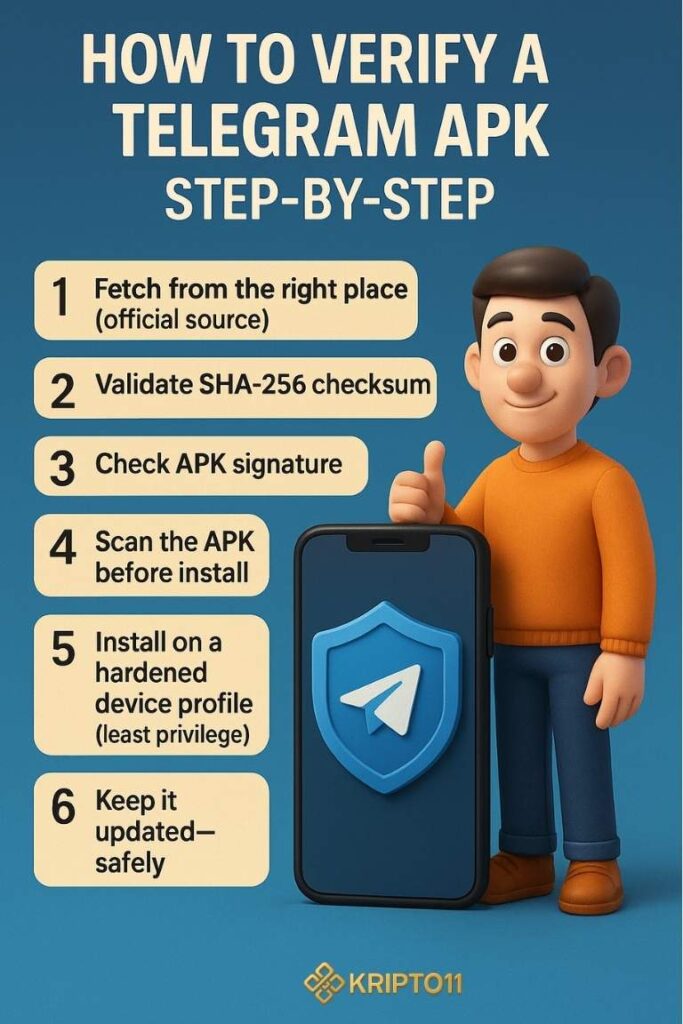
How to Verify a Telegram APK Step-by-Step validation workflow
Follow this workflow every time. It adds a minute, yet it blocks most threats.
1) Fetch from the right place official source.
- Prefer the official Telegram website. Avoid forums, reuploaders, and “mod” portals.
- If using a mirror, confirm it’s linked from official pages.
2) Validate the file’s SHA-256 checksum hash verification.
- Compute the hash locally (Windows: CertUtil; macOS/Linux: shasum -a 256).
- Compare with the published SHA-256 on the official page. Any mismatch means delete immediately.
3) Check the APK signature signing certificate.
- Use tools like APKsigner or App Manager to view the signing certificate.
- Compare the certificate fingerprint with the official one from Telegram’s documentation or trusted listings.
4) Scan the APK before install malware screening.
- Run it through a reputable offline antivirus and a multi-engine scanner.
- Block network and storage permissions until first run, then grant as-needed.
5) Install on a hardened device profile least privilege.
- Keep Google Play Protect or alternative scanners enabled (if available).
- On Android 13+, use per-app network permissions and photo picker to limit data exposure.
- Deny install from unknown sources globally after you finish.
6) Keep it updated-safely secure.
- Bookmark the official download page and revisit for updates.
- Re-run steps 2-4 for every update.
Privacy & Security Settings to Enable After Install post-install hardening
Even a clean APK needs good app hygiene.
App-level tweaks
- Two-Step Verification: Add a password in Telegram’s settings 2FA.
- Device confirmation: Review active sessions and terminate unknown devices.
- Secret Chats & self-destruct timers: Reduce message exposure ephemeral messages.
- Disable auto-media download on mobile data and public Wi-Fi bandwidth attacks.
Device-level tweaks
- Lock screen + biometrics: Prevent casual access.
- Encrypted backups: Avoid unencrypted cloud exports secure backup.
- DNS over HTTPS / VPN: Thwart ISP-level snooping and downgrade attacks.
With these controls, the question “is Telegram APK safe” shifts from “maybe” to “much safer,” provided you maintain updates and hygiene.
FAQ : Is Telegram APK Safe?
Q1. Is Telegram APK safe without Google Play if I verify the hash?
A. Yes, if you confirm the official source, verify the SHA-256, and check the signature. Still, keep updates timely and limit permissions integrity check.
Q2. Is Telegram APK safe from hackers on public Wi-Fi?
A. Only if you download over HTTPS, verify the file, and avoid captive portals. Consider a VPN and re-check the hash man-in-the-middle
Q3. Are modded Telegram APKs safe?
A. Generally no. Mods often add trackers or inject code. Stick to official builds repackaged malware.
Q4. How do I know the signing certificate is legit?
A. Compare the certificate fingerprint with trusted documentation. Any mismatch means you should delete the file.
Q5. What if I already installed a suspicious APK?
A. Disconnect from networks, back up essentials, remove the app, run full device scans, rotate Telegram passwords/2FA, and review active sessions.
Q6. Does installing from official site break updates?
A. Not if you manually update from the same official page and re-verify each package manual updates.
Conclusion: Should You Sideload Telegram?
Sideloading Telegram can be reasonably safe when you download from the official source, verify hash and signature, and lock down permissions. Nevertheless, it requires discipline: you must repeat verification for every update, avoid mods, and harden both app and device. If convenience matters most, use Google Play. If control and availability matter, sideload-carefully.




Telegram mini app
Telegram bot
USDT wallet
Casino Telegram bot
tikiokviral
LINK IN BIO
telegram casino bonus
Drumstick
Crypto
PGslot
TON Wallet
Telegram mini app
Telegram bot
TONT wallet
Casino Telegram bot
tikiokviral
LINK IN BIO
telegram casino bonus
Pragmaticplay
Crypto
PGslot
TON Wallet
Telegram mini app
Telegram bot
USDT wallet
Casino Telegram bot
tikiokviral
LINK IN BIO
telegram casino bonus
Drumstick
Crypto
PGslot
TON Wallet
Telegram mini app
Telegram bot
TONT wallet
idansumbing
tikiokviral
LINK IN BIO
telegram casino bonus
idansumbing
idansumbing
PGslot
idansumbing
Telegram mini app
Telegram bot
USDT
Casino Telegram bot
tikiokviral
One-hand inspired
telegram casino bonus
Drumstick
Crypto
PGslot
TON Wallet
Telegram mini app
Telegram bot
TONT wallet
idansumbing
tikiokviral
LINK IN BIO
telegram casino bonus
One-hand inspired
idansumbing
PGslot
One-hand inspired
Telegram mini app
Telegram bot
USDT
Casino Telegram bot
tikiokviral
One-hand inspired
telegram casino bonus
Drumstick
Crypto
PGslot
TON Wallet
Telegram mini app
Telegram bot
TONT wallet
idansumbing
tikiokviral
LINK IN BIO
telegram casino bonus
One-hand inspired
idansumbing
PGslot
idansumbing
Telegram mini app
Telegram bot
USDT
Casino Telegram bot
tikiokviral
One-hand inspired
telegram casino bonus
Drumstick
Crypto
PGslot
TON Wallet
Telegram mini app
Telegram bot
TONT wallet
idansumbing
tikiokviral
LINK IN BIO
telegram casino bonus
One-hand inspired
idansumbing
Slotonline
idansumbing
Telegram mini app
Telegram bot
USDT
Casino Telegram bot
tikiokviral
One-hand inspired
telegram casino bonus
Drumstick
Crypto
PGslot
TON Wallet
Telegram mini app
Telegram bot
TONT wallet
idansumbing
tikiokviral
LINK IN BIO
telegram casino bonus
One-hand inspired
idansumbing
PG soft
idansumbing
Telegram mini app
Telegram bot
USDT
Casino Telegram bot
tikiokviral
One-hand inspired
Red bull
Drumstick
Crypto
PGslot
TON Wallet
Telegram mini app
Telegram bot
TONT wallet
idansumbing
tikiokviral
LINK IN BIO
Red bull
One-hand inspired
idansumbing
PGslot
idansumbing